
The ordering system for restaurants
Your delivery service. Your app. Your brand.
Order Gastro gives your restaurant its own ordering app for iOS and Android, a web shop on your domain, a kitchen display and a driver app. Orders, kitchen, delivery and invoices from one system.
- Your own app under your name
- Web shop on your domain
- Payments to your own Stripe account
Everything your restaurant needs for online orders
From the first order to the invoice: one system that connects guests, kitchen and drivers.
Your own app for iOS & Android
Your guests order in an app with your name and logo, available in the App Store and on Google Play.
Web shop on your domain
Order straight from the browser, for example at order.your-restaurant.com, optimised for phone and desktop.
Secure online payment
Payments run through Stripe. The money goes to your own Stripe account.
Invoices automatically
After payment the guest receives the invoice as a PDF by email, with VAT shown.
Kitchen display
New orders with sound and timer. Accept, mark as ready, cancel and print the receipt.
Driver app
Drivers see the address and phone number, navigate and confirm delivery. Orders are assigned automatically through a queue.
Your own dashboard
You manage the menu, photos, prices, opening hours, delivery costs and minimum order value yourself.
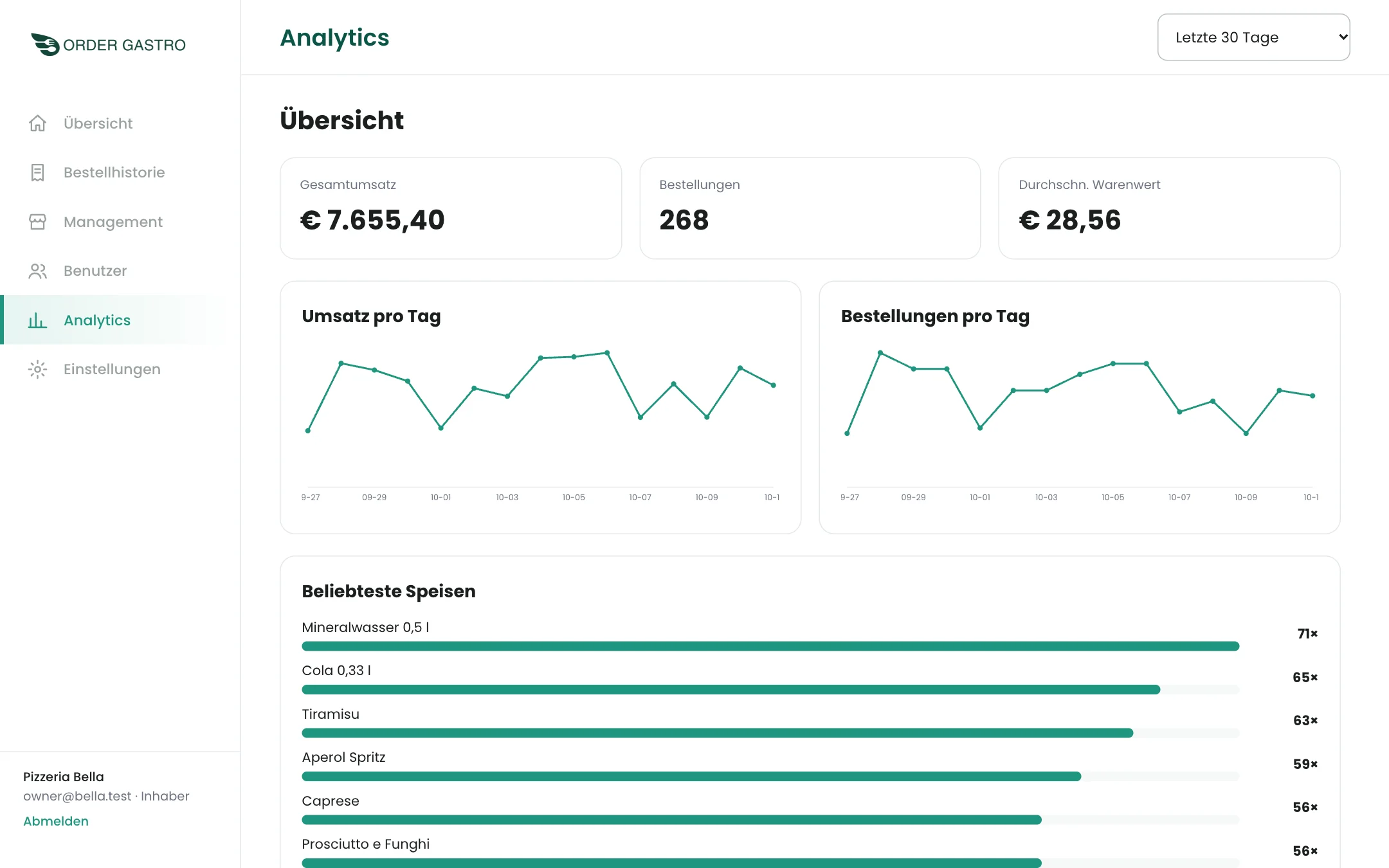
Analytics
Revenue, orders and best sellers at a glance. Available as an add-on for your restaurant.
What it looks like day to day
Real screens from Order Gastro, shown here with a sample restaurant.
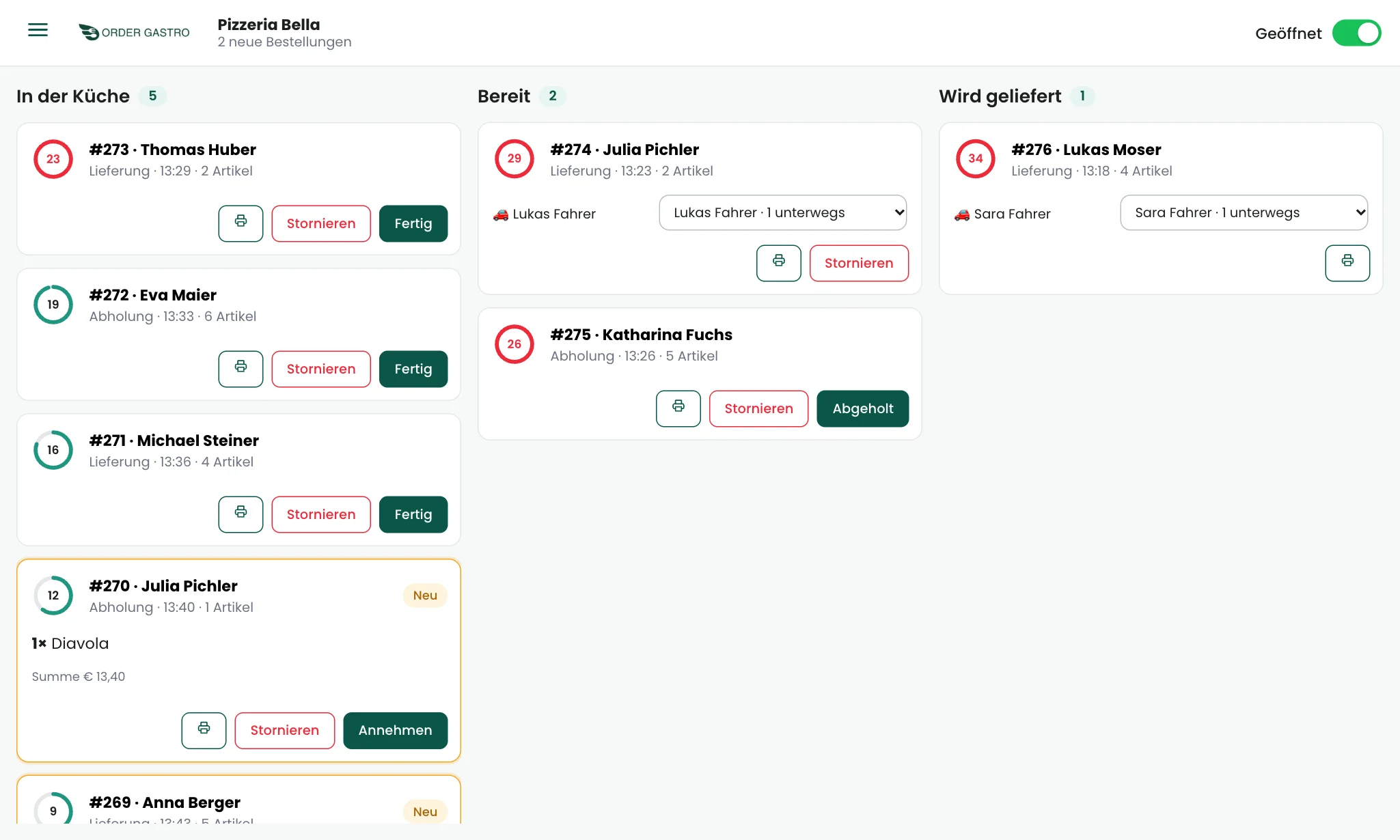
Kitchen: a clear overview instead of paper slips
All open orders in three columns: in the kitchen, ready and on the way. New orders announce themselves with a sound, and a timer shows how long they have been waiting.
- Accept, mark as ready or cancel orders
- Assign drivers automatically or by hand
- Open or close the restaurant with one switch
- Print receipts
Dashboard: your restaurant under control
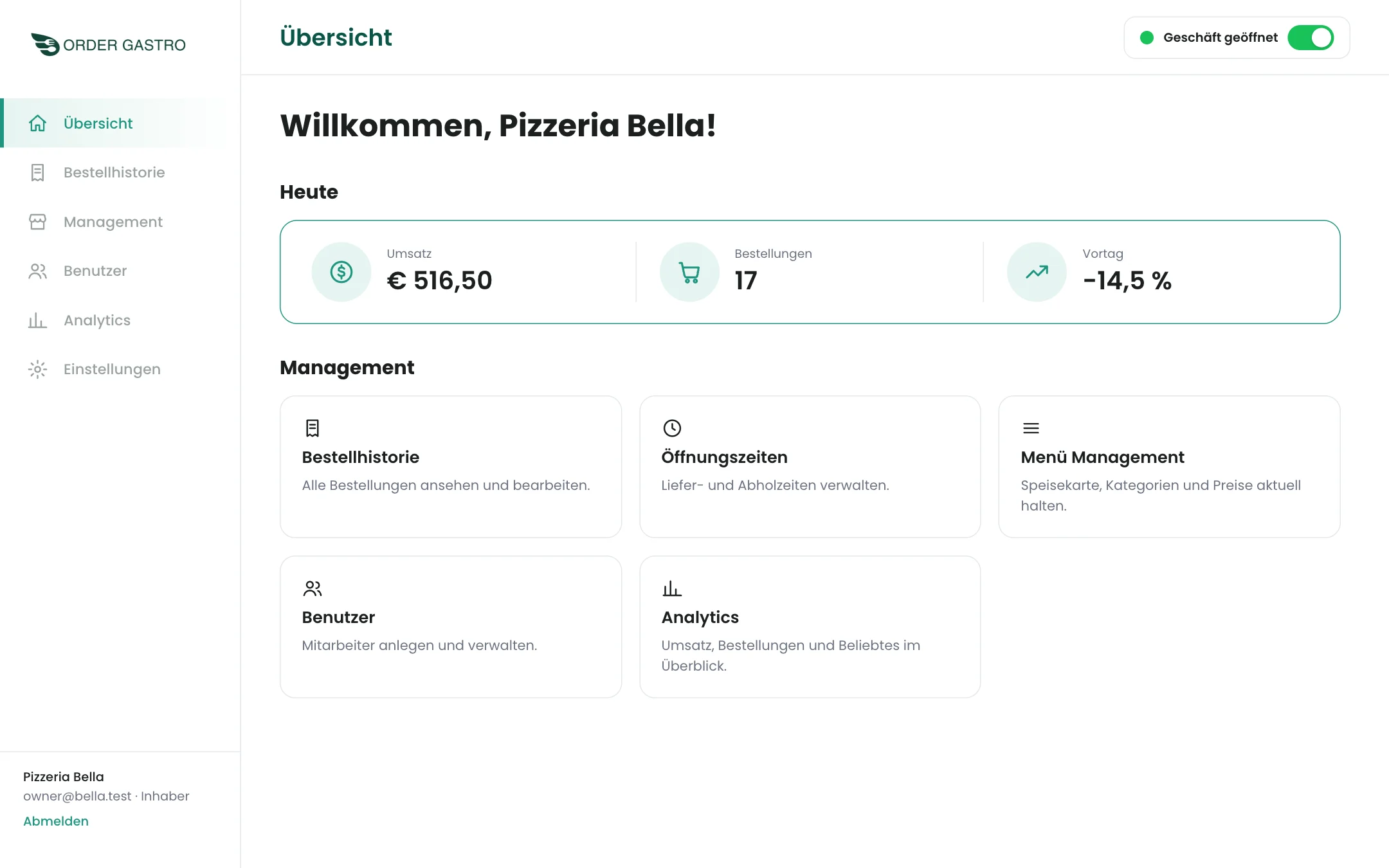
Your team manages the menu, prices and opening hours and sees how business is going.
- Revenue and orders of the day
- Order history with invoice download
- Set minimum order value and delivery fee yourself
- Manage staff and drivers
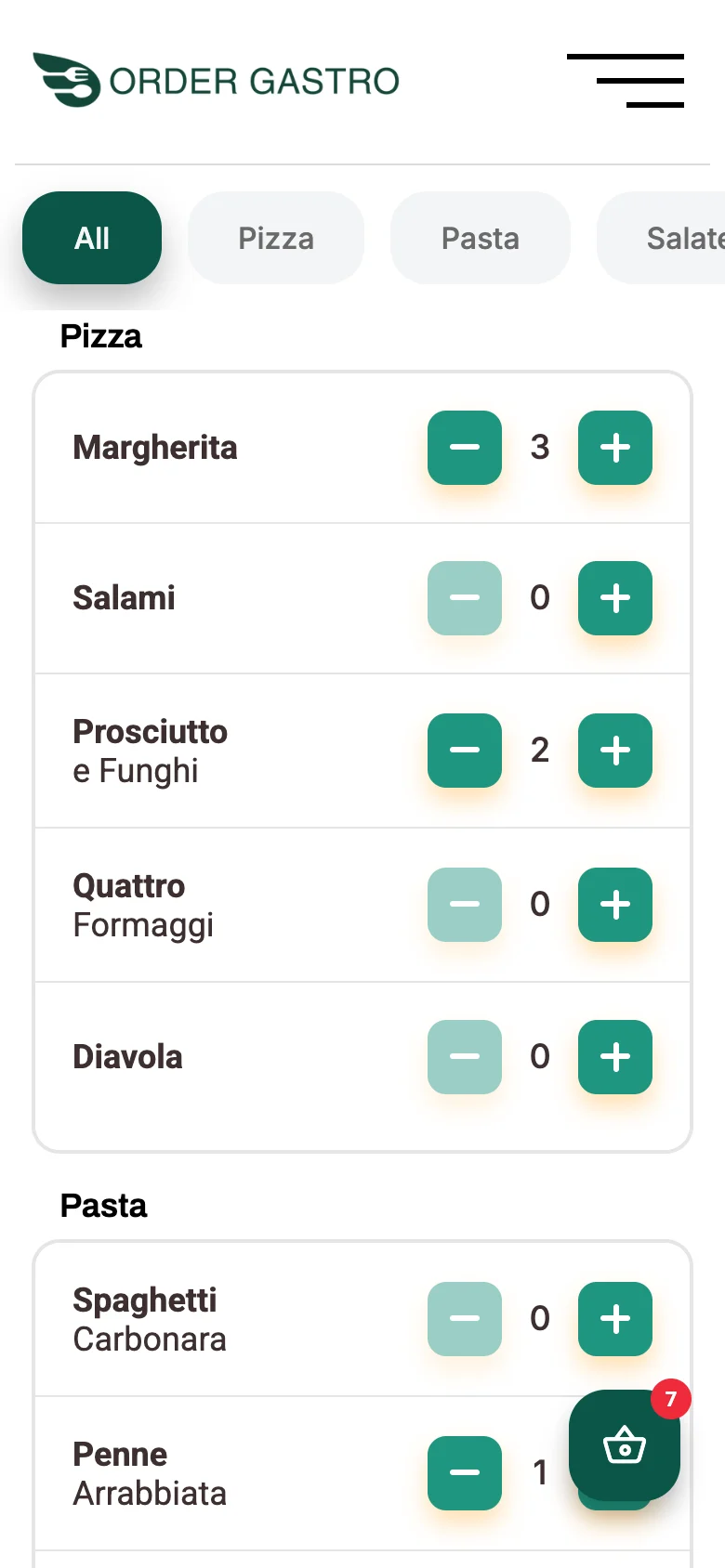
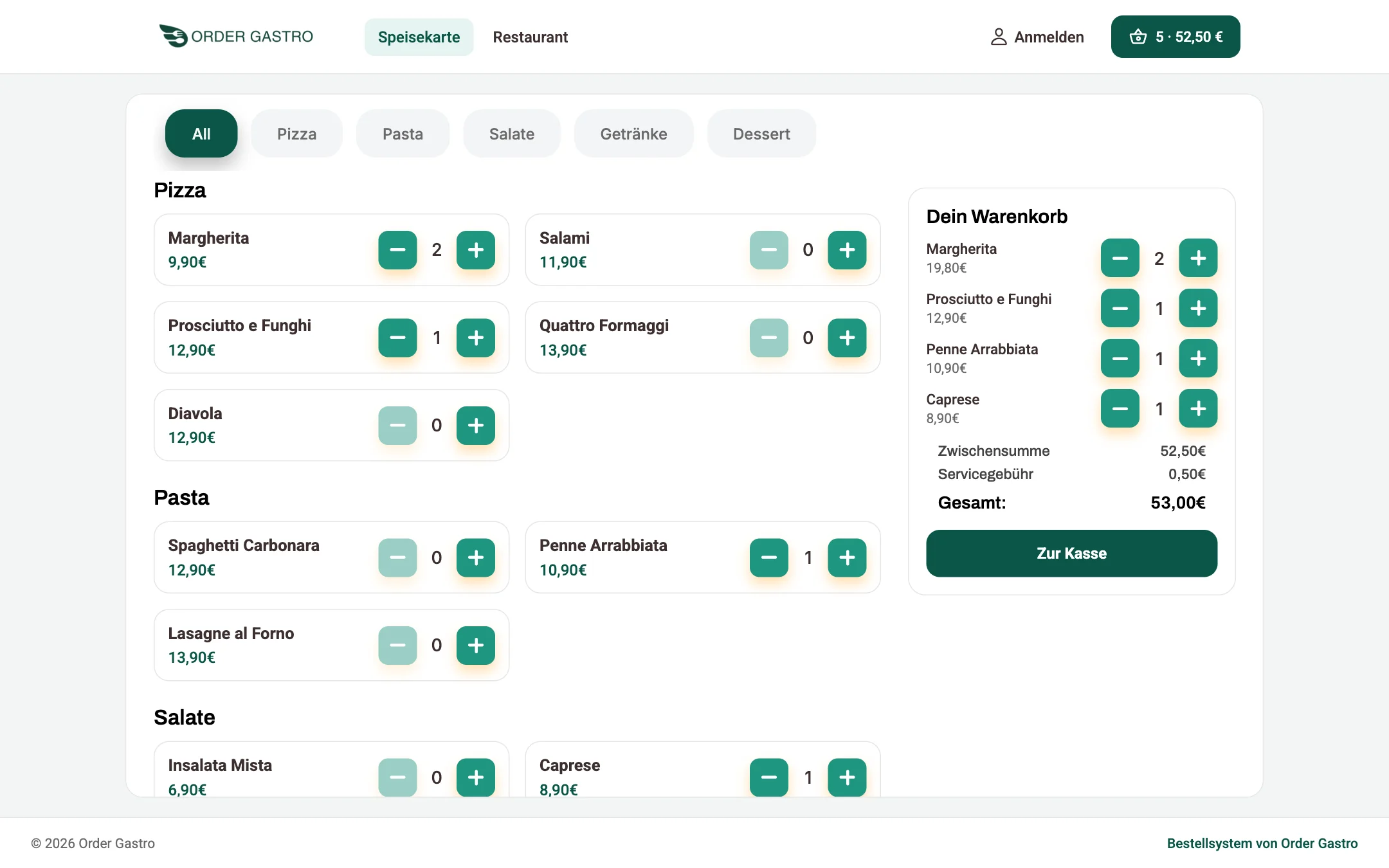
Guests: ordering in two minutes
Menu, cart and payment, on the phone in the app and on the computer in the web shop. Fees are visible before paying.
- Your own app under your name
- Web shop on your domain
- Transparent service and delivery fees
- Invoice by email and in the app
Your own ordering system in three steps
We guide you from the idea to launch.
- 1
Enquiry
You write to us, and we talk through your wishes and what you need.
- 2
Set-up
We create your restaurant. You maintain menu, prices and hours in the dashboard.
- 3
Launch
Your app and web shop go live. Orders arrive directly in your kitchen.
Pricing? Tailored to your restaurant.
Tell us what you need. You get an offer without any obligation.
Frequently asked questions
How much does Order Gastro cost?
Pricing depends on your restaurant and the features you need. Send us the form and you will receive a no-obligation offer.
Do I need my own Stripe account?
Yes. Payments go to your own account through Stripe. We will explain the set-up.
Can I use my own domain?
Yes. Your web shop can run under your own address, for example order.your-restaurant.com. Alternatively you get an address under order-gastro.at.
Is there delivery and pickup?
Both. The kitchen sees at a glance whether an order is delivered or collected. You set the minimum order value and delivery fee yourself.
How are orders assigned to drivers?
Drivers log in to the driver app and go online. A finished delivery goes to the driver who is next in the queue. The kitchen can also pick another driver by hand.
Do my guests get an invoice?
Yes. After payment Stripe creates the invoice with VAT included. The guest receives it as a PDF by email and can open it in the app.
Let's talk about your restaurant
Tell us briefly what you have in mind. We will get back to you as soon as possible.
- Your own app under your name
- Web shop on your domain
- Payments to your own Stripe account